What is text message encryption, and how does it work?
Text message encryption turns a message into unreadable data before it leaves the sender’s device. It remains scrambled during transit and becomes readable again only on the recipient’s device with the correct decryption key. So even if someone intercepts the message, they won’t be able to understand it without access to that key.
That extra layer of protection helps reduce the risk of personal details and other sensitive data being exposed through interception, leaks, or breaches.
The strongest standard for keeping messages private is end-to-end encryption (E2EE). That means only the sender and the recipient can read the message — the service provider can’t, whether in transit or on its servers.
6 ways to encrypt and secure your text messages
If you’ve never sent encrypted texts before, the process can sound more technical than it really is. In fact, it’s often just a matter of using the right app or turning on the correct settings. Learn six ways to encrypt your text messages and make them harder for anyone else to read.
1. Enable end-to-end encryption on your phone
Not all encryption gives you the same level of privacy. Standard encryption may protect messages while they travel, but the provider or another third party may still access the decryption keys, which means they could decrypt the data or hand those keys over to law enforcement. With end-to-end encryption, only the people in the conversation can read the content.
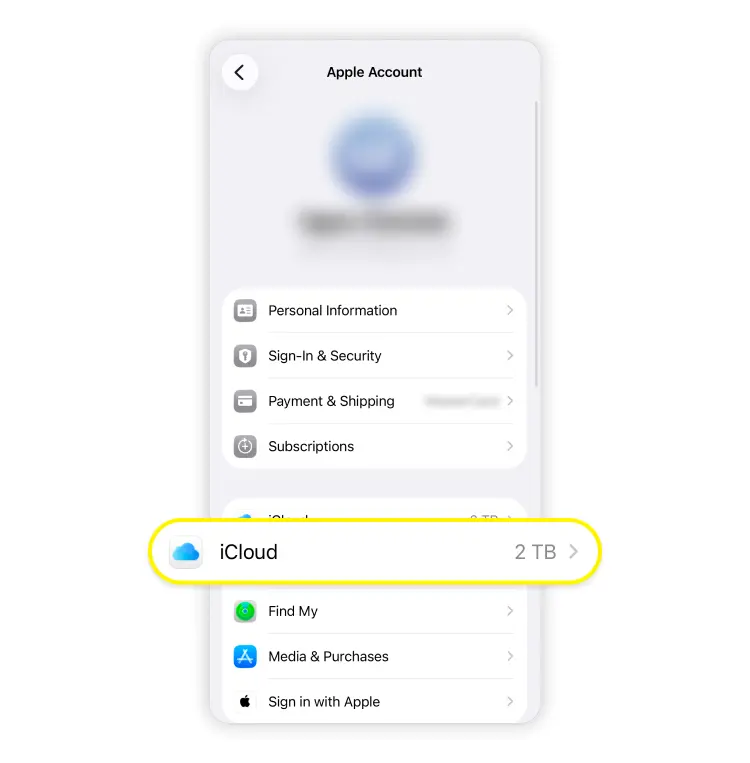
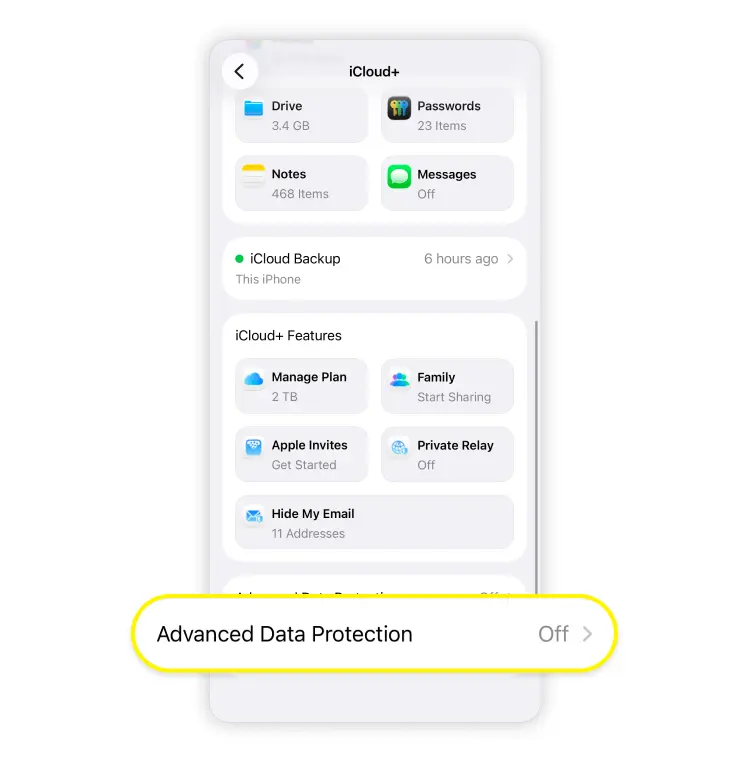
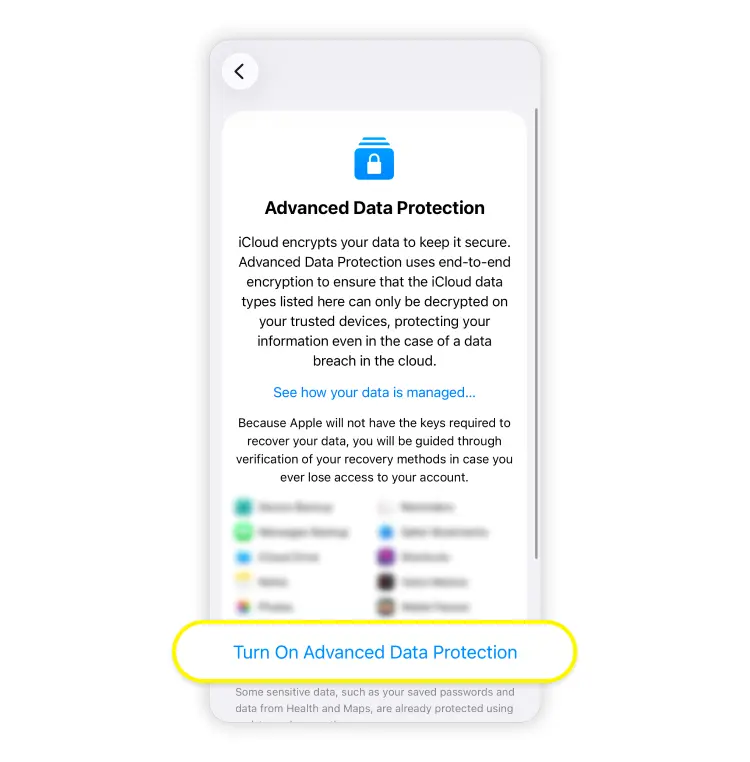
On an iPhone, all iMessage conversations between Apple users are end-to-end encrypted. Apple’s Advanced Data Protection extends E2EE to more iCloud categories, including device and message backups, which adds an extra layer of protection for sensitive information stored in the cloud.
For Android users, Google Messages supports E2EE in RCS chats where all participants have RCS enabled.
2. Use end-to-end encrypted messaging apps
If you want the simplest way to send encrypted text messages, use one of the popular apps built around end-to-end encryption:
Signal is the strongest example. All conversations are always end-to-end encrypted, with only the user’s phone number and latest connection date stored on its servers.
WhatsApp also uses E2EE for personal messages and calls by default.
Threema offers E2EE across messages, voice and video calls, and file sharing.
AWS Wickr also supports E2EE, though it’s more enterprise oriented these days.
Telegram doesn’t apply end-to-end encryption to every chat by default — E2EE is only available through its Secret Chats feature.
Just keep in mind that encrypted messaging apps aren’t universal like regular texting. You can only send messages to someone who uses the same app as you. For instance, Telegram E2EE works with other Telegram users, and WhatsApp E2EE works with other WhatsApp users. So while these apps are great for privacy, they don’t replace standard texting in every situation.
3. Enable security features on the messaging apps
Many apps offer security tools on top of encryption, and they’re worth enabling. For example, Meta offers secure storage options for Facebook Messenger chat history across devices.
Depending on the app, you may also be able to turn on safety code verification, disappearing messages, app locks, or encrypted backups to protect sensitive information. None of these replaces end-to-end encryption, but they do strengthen it by closing off other weak points.
4. Use a VPN for an additional layer of security
A VPN protects your internet connection, especially on public Wi-Fi, by encrypting traffic between your device and the VPN server. That adds an extra layer of protection against local snooping on sketchy networks and helps protect data on your mobile device when you’re messaging on the go.
That said, it doesn’t turn regular SMS texts or unencrypted chats into encrypted messaging. The app or messaging standard still determines whether the message content is protected end to end. A VPN is a useful add-on, but not a substitute for encrypted messaging.
5. Enable password protection on the apps
Encryption helps if someone intercepts the message. A password, passcode, and biometric or app-specific lock, on the other hand, help if someone gets physical access to your phone. After all, if a person can take your device and just open your messages, they won’t need to break encryption at all.
Many secure apps let you add another lock on top of your phone passcode. It’s a simple step, but it addresses one of the most common vulnerabilities in everyday message privacy.
6. Keep your phone up to date
It’s not the most exciting advice, but it has a real impact on message security. Encryption features, security patches, bug fixes, and support for newer messaging standards all rely on current software.
If you skip updates, you’re more likely to run into broken encryption features, failed setup, or older vulnerabilities that make private messaging less private than expected.
How to encrypt text messages on an iPhone
If you want to encrypt text messages on an iPhone, there are two levels to think about — iMessage itself and your iCloud protections. Follow these steps to set up end-to-end encryption:
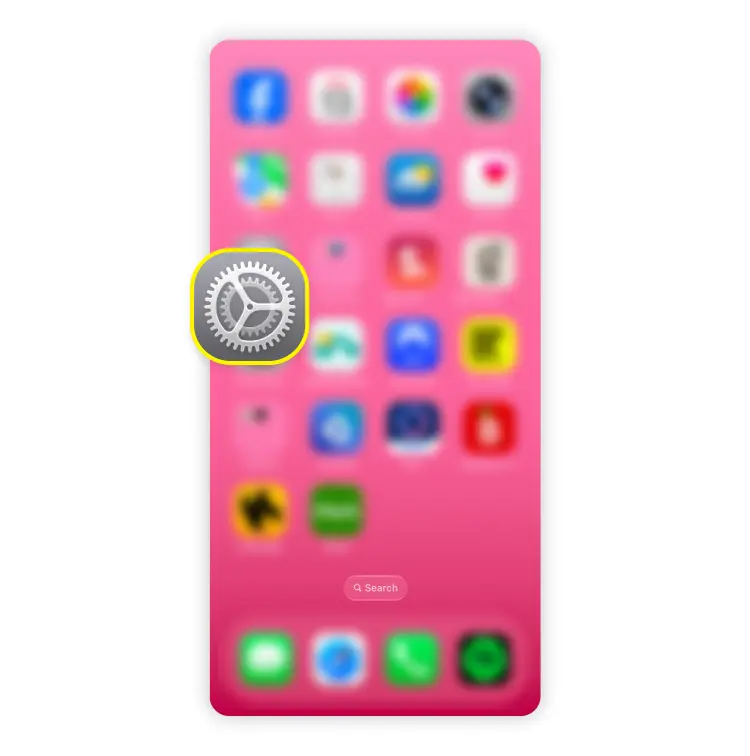
Open Settings.
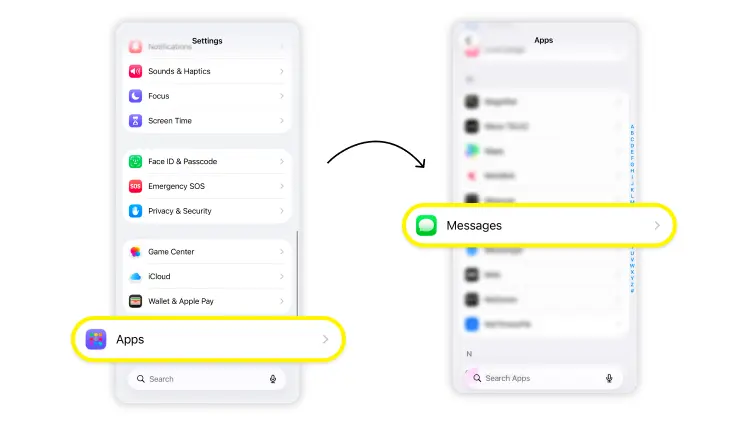
Tap “Apps” > “Messages.”
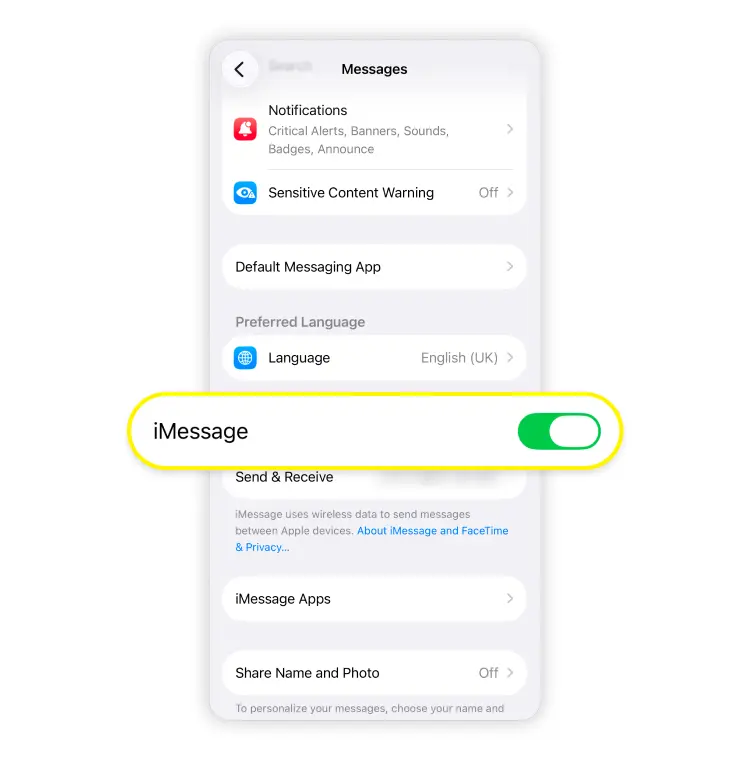
Make sure “iMessage” is turned on. iMessage chats with other Apple users appear in blue bubbles.
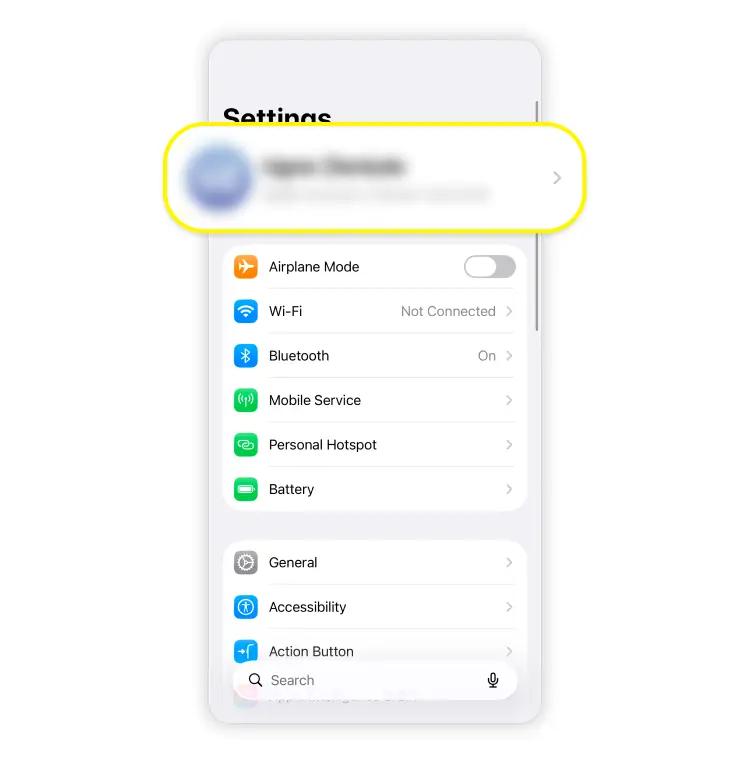
To strengthen cloud protection, go back to Settings and tap your name.
Choose “iCloud.”
Scroll down and tap “Advanced data protection.”
Follow the prompts, including setting up a recovery method if needed.
Note: While blue-bubble iMessages between Apple devices are end-to-end encrypted, green-bubble ones may be sent via SMS, MMS, or another standard that doesn’t offer the same level of privacy. So if security is your priority, stick with iMessage when you’re messaging another Apple user or use an end-to-end encrypted app when you’re not.
How to encrypt text messages on an Android device
If you want to encrypt text messages on Android, the main built-in route is Google Messages with RCS chats enabled. That applies to many Android phones that support RCS features, including Samsung Galaxy, Google Pixel, Motorola, OnePlus, and Xiaomi.
Follow these steps to set it up:
Open Google Messages.
Tap your profile picture or icon.
Tap “Messages settings” > “RCS chats.” In some versions, this may appear as “Chat features.”
Turn “RCS chats” on.
Encrypted messages will display a padlock icon next to the send button.
Once RCS is working, eligible chats will be protected with E2EE automatically. In supported chats, you may also see visual indicators that show the conversation is protected.
If RCS doesn’t activate, your carrier may not support it properly, your app may need an update, or your connection may be getting in the way.
How to remove encryption from text messages
Usually, removing encryption from texts means turning off a secure messaging feature. That could mean disabling RCS, turning off iMessage, switching from an encrypted app to plain SMS, or changing backup and storage settings inside a messaging app.
But here, a better question is not whether you can do it, but whether you should. Once you remove end-to-end encryption, your messages may be accessible to the provider, exposed through backups, and readable by anyone who gets into your device.
How does messaging encryption work with eSIMs?
An eSIM doesn’t encrypt your messages on its own, but it makes encrypted messaging easier to use. It gives you a mobile data connection without a physical SIM card, so you can keep using secure apps wherever you are.
That matters most when you travel. Instead of relying on hotel, airport, or café networks, you can use mobile data to send messages through apps like iMessage, Signal, and WhatsApp. That gives you a more reliable connection and cuts down on the moments when you have to jump onto random public networks just to send a message.
A travel eSIM like Saily lets you avoid roaming charges, activate the service digitally, and stay online across many destinations. Need more data? Top up your plan right in the app and stay connected without the usual hassle.
So while an eSIM isn’t a replacement for encryption, it does make secure communication easier and more practical on the move. Just download an eSIM app, choose a plan, and stay connected with less dependence on public networks.
For more details, see: