



Heathrow Airport Wi-Fi: How to connect and safer alternatives
Heathrow Airport (LHR), formerly known as London Airport, is both one of the world’s busiest airports and the entry point to one of its most multicultural cities. You can take advantage of its free Wi-Fi to double-check your accommodation’s check-in time, search up whether you need a reservation to dine at Dishoom, or get work done before a connecting flight. We’ll cover everything you need to know about connecting to Heathrow Airport’s free Wi-Fi, including the official SSID, login instructions, and safer alternatives for getting online.

Table of Contents
How to connect to the free Wi-Fi at Heathrow Airport
Connecting to the free Wi-Fi at Heathrow Airport is simple as long as the network cooperates. (Spoiler: Cooperation is not guaranteed.) Here’s how to get online:
In your device’s settings, go to Wi-Fi.
Select “_Heathrow Wi-Fi” from the available networks.
Open your web browser, which should automatically direct you to the Heathrow Wi-Fi login page.
Follow the on-screen instructions to complete the registration process — you’ll either need to enter your email address or social media handle.
Accept the terms and conditions.
That’s it! You should have an internet connection for the entire time you’re at Heathrow.
If you’re having trouble connecting to the Heathrow Airport Wi-Fi, call Customer Care at +44 (0)808 189 1365.
One word of warning, though — always be mindful of which network you connect to at an airport, even if it may look official. The truth is that hackers sometimes set up “evil-twin” hotspots with similar network names like “HeathrowAirport_Wifi” to trick travelers into connecting. This may open the floodgates for your private data to be exposed or your device to be infected by malware. Note the underscore at the beginning of the Heathrow Airport Wi-Fi’s official network name — it’s an important indicator that the network is legitimate.
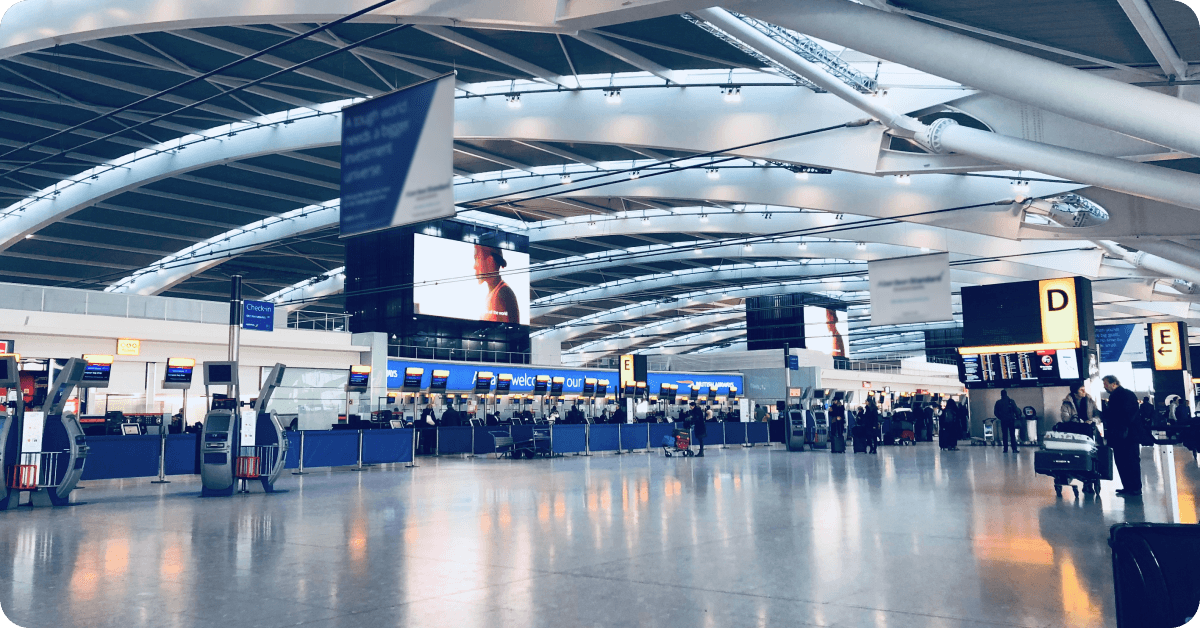
Wi-Fi coverage area at Heathrow Airport
You can connect to Heathrow Airport’s free Wi-Fi throughout all four of its passenger terminals (Terminal 2, Terminal 3, Terminal 4, and Terminal 5), including at all departure gates, baggage claim areas, food courts, and shopping areas. In case you forget Heathrow Airport’s official network name, you can search for an internet kiosk at any of the four aforementioned terminals to find it displayed.
If you’re not keen on connecting to Heathrow’s public Wi-Fi network, you can splurge on lounge access and use dedicated, password-protected Wi-Fi instead. Enjoy faster Wi-Fi at the following lounges:
Plaza Premium Lounge (Terminal 2 and 4).
No. 1 Lounge (Terminal 2 and 3).
Clubrooms (Terminal 3).
My Lounge (Terminal 3).
Club Aspire (Terminal 5).

Looking for free access to lounges at Heathrow Airport?
Enjoy unlimited mobile data, lounge access, and other perks with the Saily Ultra plan!
Is the Wi-Fi at Heathrow Airport free? How fast is it?
Yes, Heathrow Airport offers free Wi-Fi at all four of its passenger terminals (T2, T3, T4, and T5) through its network “_Heathrow Wi-Fi.” While the airport’s official website states that you’ll have an internet connection for the duration of your stay once you connect, visitors have reported on Reddit that you might need to reconnect every 45 minutes to 1 hour. Notably, Heathrow Airport’s Wi-Fi is not only free but also filters out inappropriate content for children — also known as certified “Friendly Wi-Fi,” a government-backed standard created in partnership with the UK Council for Child Internet Safety (UKCCIS).
According to a report by Ookla, you can expect internet speeds at 10 to 15 Mbps from the Heathrow Airport Wi-Fi. And are internet speeds between 10 to 15 Mbps any good? Meh — they’re good enough for web browsing, sending emails, and maybe even streaming videos at a standard definition, but you’re likely to run into annoying lags if you’re trying to video call a friend back home. But what can we expect from airport Wi-Fi, really? Heathrow Airport is packed with travelers year round, eager to stream and scroll before a flight. You should also anticipate particularly slower internet speeds during peak travel seasons, like Christmas, which is considered the best time to visit London for mulled wine enthusiasts around the world.
Safer and faster alternatives to airport Wi-Fi
Connecting to airport Wi-Fi isn’t intrinsically dangerous, but we can’t say it’s the safest way to get online either. Unfortunately, hackers do lurk around busy areas like airports attempting to trick people into connecting to fake hotspots as a way to spy on their data. On top of that, Heathrow Airport suffered from a cyberattack in September 2025, where software used for check-ins and organizing baggage was compromised, causing multiple flight delays. This case wasn’t related to airport Wi-Fi, but it illustrates that airports are not immune to unsavory cybersecurity risks.
When it comes to internet speed, Heathrow Airport’s Wi-Fi hasn’t garnered the best online reputation — 10 to 15 Mbps is fine for messaging and emails, but streaming high definition videos or FaceTiming a friend? Not so much.
So, what are safer and faster ways to get internet access at Heathrow Airport other than its free Wi-Fi? Let’s take a look at all your connectivity options.
eSIM for the UK (Best alternative)
The easiest way to get reliable internet access in London is by purchasing a cheap prepaid data plan for an eSIM (virtual SIM card). The whole process takes a few minutes — just download an eSIM app, buy a plan with as much data as you need (or want!), and you’ll instantly receive instructions on how to install an eSIM on your phone or tablet.
And why get an eSIM for the UK over a SIM card, enabling your international roaming, or relying on the Heathrow Airport Wi-Fi?

eSIM plans provide faster and more reliable speeds than airport Wi-Fi. If the airport’s busy, the Wi-Fi networks are, too. And what’s more frustrating than internet lag when you’re trying to get some work done before your flight?
You won’t face unexpected international roaming charges. With an eSIM plan for the UK, you won’t have to worry about pay-as-you-go roaming rates that’ll leave you with an awfully expensive roaming bill from your mobile carrier. You pay a set price for your data and that’s that — no unpleasant, surprise bills waiting for you at the end of your trip.
You won’t have to wait in line for a physical SIM card. You already have to wait in line for security, check-in, and boarding your flight. Why add another queue to the list? Simply purchase an eSIM plan right from your phone, tablet, or laptop and get online immediately.
You won’t risk losing or damaging your home SIM. Buying a physical SIM card means you’ll need to remove the SIM card you use at home from your device. Those tiny chips are tough to store in a secure place and easy to lose track of. Thankfully, an eSIM is embedded right into your device so you can’t lose it (unless you lose your device, of course!).
You can hop online the moment you land in London. Some eSIM service providers like Saily recommend installing your eSIM before you leave for London. As long as you’ve turned the eSIM on in your settings and enabled roaming for your Saily plan, you’ll have internet the moment the plane’s wheels touch the tarmac.
💡 Pro tip: Traveling elsewhere in Europe before or after London? A Saily eSIM for Europe will give you internet access in 35 countries across the continent.
Local SIM cards
Another way to connect to the internet at Heathrow Airport is by buying a SIM card for London at a shop called SIM Local, which has 11 locations across the whole airport and sells plans from popular providers like EE and Three.
Before getting a London SIM card, make sure your phone is carrier unlocked (i.e., able to connect to networks other than the one you use at home). If you’re unsure about your carrier lock status, take a look at our articles on how to check if your iPhone is unlocked and how to check if your Android phone is unlocked.
💡 Pro tip: If you’re exploring more European countries during your trip, you might want to opt for a SIM card for Europe instead.
Pocket Wi-Fi
Yet another way to get internet access throughout your trip to London is by renting a pocket Wi-Fi router before you land at Heathrow Airport. Pocket Wi-Fi appeals to big groups or solo travelers who need internet access on multiple devices at once since it functions the same way as your router at home, except it’s portable. Unlike other international airports (many of which are in Asia), you won’t find pocket Wi-Fi rental counters at Heathrow — you’ll have to order one online and have it shipped to a post office, shop, or kiosk at the airport. In other words, renting pocket Wi-Fi in the UK requires a bit of planning (not ideal if you’re a pack-the-day-of-departure type of traveler).
But before you rush to order, you should know that renting pocket Wi-Fi comes with more cons than pros. We wouldn’t recommend renting UK pocket Wi-Fi for a few reasons:

Pocket Wi-Fi is more expensive than a prepaid eSIM or SIM card for the UK. Renting pocket Wi-Fi for the UK costs between £4 to £20 (US$5.26 to US$26.30) per day. With a Saily eSIM plan for the UK, you can get 20 GB of data over 30 days for just US$1.07 per day.
You’ll need to be within range of the router to stay online. Most routers have a range of about 30-50 feet — walk any further and goodbye internet.
You risk losing or damaging the router. Carrying around an extra device means you’ll have one more item to potentially lose, damage, or have stolen. In this unfortunate scenario, you’ll owe the pocket Wi-Fi rental company fees.
You might need a powerbank to keep the battery alive. Pocket Wi-Fi routers typically last for 6-8 hours when fully charged. If you’re sightseeing like your life depends on it, you might need a powerbank to keep it alive for the whole day. Now you have two extra devices to carry!
You’ll need to return the router before leaving the country. Rushing to catch your flight back home? Tough luck — you’ll still need to drop that router off at the airport or post office before you fly home.
TL;DR: Renting a pocket Wi-Fi router is one alternative to getting internet access at Heathrow Airport and the entirety of London, but it’s not one we recommend.
International roaming
Turning on your international roaming is the last (and our least favorite) way of getting a more secure internet connection at Heathrow Airport. Popular US carriers like AT&T and Verizon charge US$12/day for an international roaming pass that’ll give you unlimited talk, text, and data in the UK. However, without purchasing a roaming pass beforehand, you’ll be paying between US$2.05 to US$15 per megabyte (MB) with AT&T, Verizon, or T-Mobile. One hour of scrolling social media could leave you with a sky-high bill that makes a West End cocktail look cheap.
Alrighty, we’ve covered all your Heathrow Airport internet options in detail! Here’s a quick summary:
Internet option | Browsing speed | Security | Cost |
|---|---|---|---|
Free Wi-Fi | Low-Medium | ❌ | Free |
eSIM | High | ✅ | $ |
SIM card | Medium-High | ✅ | $-$$ |
Pocket Wi-Fi | High | ✅ | $$$ |
The best way to stay connected in Heathrow Airport
Heathrow Airport’s free Wi-Fi might be enough for a quick “I’ve landed safely” text or updating your work’s internal messaging platform to an “out of office” status but won’t always suffice for travelers in need of a fast, reliable internet connection. If you’re trying to kill time during a long layover, a Saily eSIM for the UK will keep you connected starting from just US$4.49.
Why choose Saily? Because it’s the only eSIM app on the market with three built-in security features: an ad blocker, web protection, and a virtual location changer. Saily’s ad blocker feature helps you use 28.6% less data on average when enabled, allowing you to stretch your plan further. Saily also offers unlimited hotspot sharing for all of its plans so you can keep your travel companions connected, too. No roaming fees, no public Wi-Fi network security risks, and no waiting in line for a SIM card.
London is one of those cities where no matter how many times you visit, you’ll still be left with endless museums, bars, Blue Plaques, and iconic sites beckoning to be discovered. A reliable internet connection will help you see more, do more, and share more of your adventures — make sure to include an eSIM for the UK on your London packing list!
Need data in United Kingdom? Get an eSIM!

1 GB
7 days
US$4.49
3 GB
30 days
US$8.99
5 GB
30 days
US$12.99
FAQ


Related articles