


Should data roaming be on or off? Using it at home vs. abroad
Should data roaming be on or off when you travel abroad? The answer depends on your mobile plan, destination, and how you intend to use your phone. Leaving roaming on can keep you connected, but it may also lead to unexpected charges. Here’s when to turn data roaming on or off, how each setting affects your connection, and what you can do to avoid high roaming costs while traveling.




Tabulka obsahu
- What is data roaming?
- Should data roaming be on or off?
- When should data roaming be off?
- When should data roaming be on?
- Should data roaming be on or off at home?
- Should data roaming be on or off abroad?
- How do you turn data roaming on and off?
- Turning data roaming on or off on an iPhone
- Turning data roaming on or off on Android
- Pros and cons of data roaming
- Alternatives to avoid high data roaming charges
- Data roaming on or off: Key takeaways
What is data roaming?
Data roaming is what happens when your phone connects to another carrier’s mobile network outside your home network’s coverage area. Data roaming lets you use cellular data to browse the internet, check emails, use apps, and stream content — but it can come with added charges on your phone bill depending on your carrier, mobile plan, and destination. Some plans include international roaming, while others charge daily fees or bill you based on how much data you use.
A travel eSIM like Saily offers an alternative to your home carrier’s international roaming plans, allowing you to stay connected abroad without relying on potentially expensive roaming rates.
Should data roaming be on or off?
Most people turn off cellular data roaming while traveling abroad because it helps eliminate unexpected fees. Turning it on will allow you to use your data when you’re connected to another carrier’s network, which might be preferable if your plan includes international roaming or you don’t mind paying extra.
Situation | Data roaming on or off? | Why |
|---|---|---|
Traveling abroad without an international plan | Off | Avoid unexpected charges |
Plan includes international roaming | On | No extra cost |
Using a travel eSIM (e.g., Saily) | On (for the eSIM only) | Required to connect to local networks |
Near an international border | Off | Prevent accidental connections to foreign networks |
Relying on Wi-Fi | Off | Save data and money |
At home with domestic roaming included | On | Free extra coverage |
When should data roaming be off?
Turning off data roaming helps prevent unexpected charges when your phone connects to another carrier’s network. It’s generally best to keep it off in these situations:
When traveling abroad without an international roaming plan. If your mobile plan doesn’t include international data, leaving roaming on could result in expensive charges.
When you’re near an international border. Your phone might connect to a network in a neighboring country even if you haven’t crossed the border. Turning off data roaming helps prevent accidental data usage on foreign networks.
When you’re trying to limit mobile data costs. If your carrier charges extra for roaming or you’ve already used your included roaming allowance, turning it off can help you avoid additional fees.
When you’re relying on Wi-Fi. If you plan to use Wi-Fi at your hotel, accommodation, or other locations, you can leave data roaming off and still access the internet whenever you’re connected to Wi-Fi.
Turning off data roaming doesn’t disable Wi-Fi or prevent regular cellular calls and texts, although those services may still incur international roaming charges.
When should data roaming be on?
Turning on data roaming allows you to use mobile data when your phone connects to another carrier’s network. It’s useful in several situations, especially when traveling abroad:
When your mobile plan includes international roaming. If your home carrier plan includes roaming in your destination, you can leave the data roaming feature enabled to stay connected, without paying extra data roaming fees.
When you need mobile data abroad. If you’re traveling somewhere without reliable Wi-Fi, turning on data roaming lets you use Google Maps, check emails, browse the internet, and access other online services.
When you’re using a travel eSIM. Many travel eSIMs, including Saily, require data roaming to be turned on for the eSIM to connect to local partner networks. You can keep roaming off for your primary SIM to avoid unwanted charges.
When you’ve purchased an international roaming pass. If you’ve activated a roaming pass through your carrier, you’ll typically need to enable data roaming to use your included data allowance.
Before turning on data roaming, check your carrier’s international rates, coverage, and data limits, if any. If you’re paying per megabyte, even a short session can become expensive.
Should data roaming be on or off at home?

You can generally leave data roaming on when you’re in your home country, especially if your mobile plan includes domestic roaming at no extra cost. However, turning it off may help you avoid additional charges if your carrier has restrictions on roaming data usage.
Here’s when each setting makes sense:
Keep data roaming off if your carrier charges extra. Some mobile plans have limits or additional fees for using partner networks, even within your home country. Check your plan before enabling roaming.
Turn it off when you’re near an international border. Your phone could connect to a foreign network without you leaving the country, potentially triggering international roaming charges.
Leave it on if domestic roaming is included. Many carriers allow you to use partner networks within your home country at no additional cost, helping you stay connected in areas with limited coverage.
Turn it on when your carrier’s network is unavailable. If your plan supports domestic roaming, enabling it may let your phone use a partner network when your carrier has poor or no coverage.
At home, leaving data roaming on is usually fine if your carrier includes domestic roaming in your plan. If you’re unsure whether roaming is covered, check with your provider before enabling it. Turning off data roaming won’t affect your regular cellular data connection when you’re within your carrier’s network.
The main distinction is whether you’re using a partner network within your home country or one across an international border. Apple also recommends checking your carrier’s roaming terms before traveling.
Should data roaming be on or off abroad?

Data roaming should generally be turned off when traveling internationally unless your mobile plan includes roaming in your destination or you’ve purchased a roaming package. Leaving it on without checking your carrier’s rates could lead to unexpected charges.
Here’s when to turn data roaming on or off while abroad:
Keep it off if your plan doesn’t include international roaming. Your carrier may charge high rates for mobile data usage abroad, especially if you’re paying per megabyte.
Turn it off when using Wi-Fi. If you’re relying on Wi-Fi for internet access, you can disable data roaming to prevent your phone from using roaming data when Wi-Fi is unavailable.
Leave it on if international roaming is included. Some mobile plans offer roaming in certain countries at no additional cost. Check your plan’s coverage and data limits before traveling.
Turn it on when using an international roaming pass. If you’ve purchased a roaming package from your home carrier, enabling data roaming lets you access your included data allowance.
Enable it for your travel eSIM. If you’re using Saily or another travel eSIM that requires roaming, turn it on for that eSIM while keeping data roaming off for your primary SIM.
Before traveling, check your carrier’s international roaming rates and make sure you’ve selected the correct SIM for cellular data. This can help you stay connected without paying more.
Traveling in Europe? See our guide to EU roaming regulations for the latest info about how it works, what countries are covered, and how much you may expect to pay. If you’re traveling to the US, here’s how to pick the best network for roaming in the USA.
How do you turn data roaming on and off?
Switching data roaming on or off is typically straightforward, whether you’re using an iPhone or Android device. However, the exact steps may vary slightly depending on your device model or operating system.
Turning data roaming on or off on an iPhone
Open the “Settings” app on your iPhone.
Scroll down and tap “Cellular,” “Mobile data,” or “Mobile service" (depending on your region).
If you’re using dual SIM functionality, select the SIM or eSIM you want to manage. Otherwise, proceed to the next step.
Tap “Cellular data options” or “Mobile data options.”
Find “Data roaming” and toggle the switch on or off, depending on your preference.
You can also enable low data mode under “Data mode.” This mode pauses automatic updates and background tasks when your iPhone isn’t connected to Wi-Fi, helping to reduce overall data usage.
Turning data roaming on or off on Android
Open the “Settings” app on your Android device.
Go to “Connections” or “Network & internet” (depending on your device).
Tap “Mobile networks” (Samsung) or “SIMs” (Google Pixel).
Select your SIM or eSIM if prompted.
Find “Data roaming” or “Roaming” and toggle it on or off.
If you’re still having trouble, our guide to cellular data issues can help you troubleshoot.
Pros and cons of data roaming
Data roaming lets you stay connected when you’re outside your home carrier’s coverage area, but it isn’t always the most affordable option. Discover its main advantages and disadvantages:
Pros of data roaming

Convenient connectivity. You can use mobile data abroad without buying a local SIM card or changing your phone number.
Access to essential services. It allows you to use Google Maps, messaging apps, email, and other online services when Wi-Fi isn’t available.
Automatic network connections. Your phone can connect to a partner network without requiring you to set up a new SIM or eSIM.
Included roaming benefits. Some mobile plans offer international roaming at no additional cost, making it easy to stay connected to the internet while traveling.
Cons of data roaming

Potentially high costs. International roaming charges can add up fast if your plan doesn’t include coverage where you’re going.
Data limits. Some carriers limit how much high-speed data you can use abroad — or charge extra when you exceed your allowance.
Variable connection quality. Network speeds and coverage depend on your carrier’s roaming partners and local network conditions.
Possible unexpected charges. Background app activity, automatic updates, and accidental connections to foreign networks can use roaming data without you realizing it.
💡 Pro tip: Estimating your data needs can help you budget accordingly. Our data usage calculator can give you an idea of what you might expect to pay based on how you use your data.
Alternatives to avoid high data roaming charges
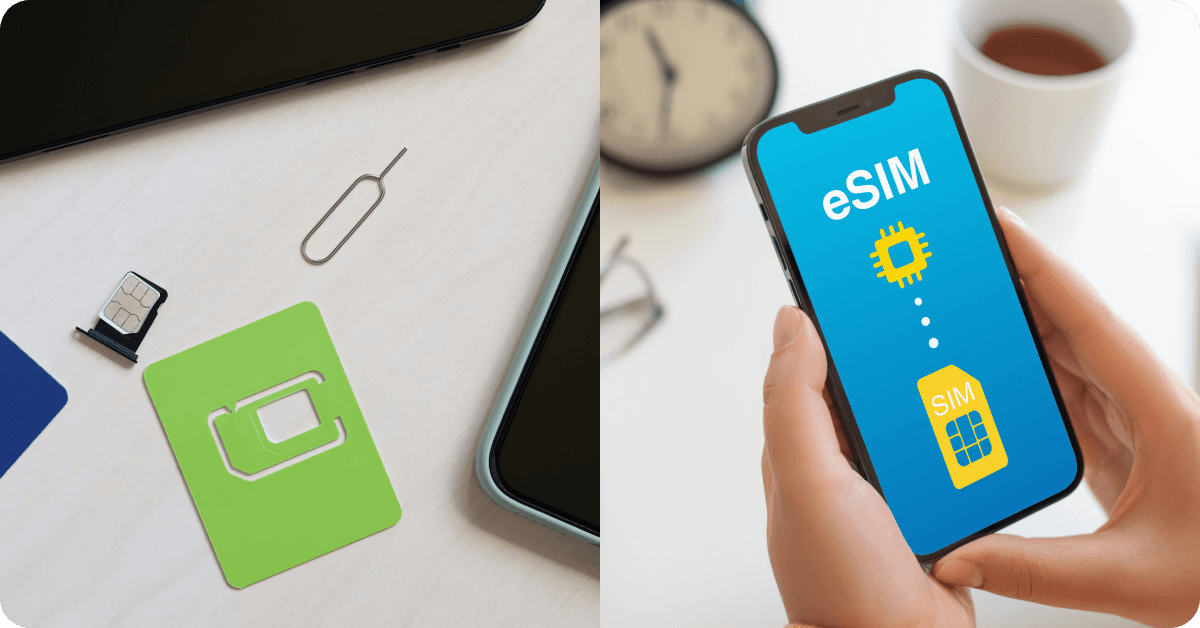
You don’t have to rely on your home carrier’s international roaming plan to stay connected abroad. Several alternative cellular data options may help you avoid high roaming fees, depending on your destination, budget, and data needs.
Travel eSIM. An eSIM lets you buy a data plan for your destination without swapping physical SIM cards. It’s convenient for international travel, although you’ll need an eSIM-compatible, carrier-unlocked device.
Local SIM card. A prepaid, local SIM card can offer affordable local data, calls, and texts. You’ll need a compatible, carrier-unlocked phone to use a local SIM too. You may also have to replace your SIM when traveling between countries.
Public Wi-Fi. Free Wi-Fi at hotels, airports, and cafes can help you avoid cellular data charges. Keep in mind that coverage is often limited to hotspot locations, and unsecured networks can pose privacy and security risks.
Pocket Wi-Fi. A portable Wi-Fi hotspot provides internet access for multiple devices using a local cellular network. It’s useful for groups, but rental fees, battery life, and carrying an extra device can be inconvenient.
Pro tip: Want to learn more about hotspots? Our eSIM glossary covers this and more.
Many globetrotters choose to take advantage of the benefits of eSIM while traveling. Saily offers travel eSIM plans for 200+ destinations, allowing you to get mobile data abroad without paying your home carrier’s international roaming rates. Simply choose a plan, download the Saily eSIM app, and install your eSIM before you head out.
Data roaming on or off: Key takeaways
Whether data roaming should be on or off depends on your mobile plan, destination, data usage habits, and how you plan to stay connected. The main points to keep in mind:
Keep data roaming off to avoid unexpected charges. This is especially important when traveling abroad without an international roaming plan.
Turn it on when roaming is included in your plan. If your carrier offers data roaming included in your plan at your destination, you can stay connected without additional data charges.
Check your carrier’s roaming rates before traveling. Some plans include international data, while others charge daily fees or bill you based on usage.
Consider alternatives to international roaming. Local SIM cards, Wi-Fi, and travel eSIMs can help reduce mobile data costs abroad.
Saily offers an affordable alternative to traditional international roaming, with data plans for 200+ destinations. You’ll typically need to enable data roaming for your Saily eSIM, but you can keep it off for your primary SIM to avoid unwanted charges from your home carrier.

Say goodbye to roaming fees with a travel eSIM
Affordable mobile data plans for every journey.
We do our best to keep everything accurate and up to date, but eSIM service provider prices, plans, and features can change quickly. If you spot something that seems outdated or incorrect, feel free to get in touch with us at [email protected] — we’d really appreciate the heads-up!
FAQ
If you leave data roaming on, your phone can automatically use partner networks when you’re outside your carrier’s coverage area. If roaming in those areas isn’t included in your data plan, you may find unexpected charges on your mobile plan — particularly when background apps and automatic updates use data. Roaming may also increase battery consumption in areas with weak network coverage.
Turning off data roaming prevents your phone from using cellular data on other carriers’ networks, potentially helping you avoid unexpected roaming charges. You can still use Wi-Fi and connect to your home carrier’s network (when it’s available). You should be able to call or text while roaming, but you may need to pay extra.
You can generally leave data roaming on in your home country if your mobile plan includes domestic roaming at no extra cost. Turning it off may help you avoid additional charges for data usage if your carrier has roaming restrictions or you live near an international border. Check your plan’s roaming terms to determine which setting is best.
You should generally keep data roaming off when traveling internationally unless your mobile plan includes roaming at your destination. Turning it on without checking your carrier’s rates could lead to unexpected charges.
Data roaming should generally be off on your iPhone when traveling abroad unless your mobile plan includes international roaming. You can leave it on if your carrier covers roaming at your destination or you’ve purchased a roaming pass. If you’re using a travel eSIM like Saily, enable data roaming for that eSIM while keeping it off for your primary SIM.
Data roaming should generally be off on your Android phone when traveling internationally unless your mobile plan includes roaming at your destination. You can turn it on if your carrier offers included roaming or you’ve purchased an international roaming package. Again, if you’re using a travel eSIM like Saily, enable data roaming for that eSIM while keeping it off for your primary SIM.
That depends on your eSIM provider and mobile plan. Many travel eSIMs, including Saily, require data roaming to be turned on to connect to local partner networks abroad. If you’re using a travel eSIM, keep data roaming off for your primary SIM to avoid unexpected charges from your home carrier.

Mobilní data bez hranic
Saily – váš bezpečný a spolehlivý eSIM společník na všech cestách